OpenCart B2B pricing
A wholesale price follows the buyer from the product page to the order line
OpenCart's Discount tab puts a price inside a product, one row at a time, for a group and nothing narrower. B2B Pricing turns that round: the price list is the thing. It holds as many products and quantity breaks as you like, it can be assigned to one named customer as readily as to a group, and who is on it is a separate decision you change in one edit. A list called Trade 2026 is something you can build on a live store, check, switch a customer onto, and switch back.
It needs OpenCart 4.1.0.1 or newer. OpenCart changed how a price is stored, and below that release the product page would show your customer's price while the cart charged OpenCart's, so it refuses to install there. Check your version before you buy.
A price for one named customer
Assign a list to a customer group, or to one company by name. An arrangement with one buyer beats the group’s list every time, whatever the prices are, because naming somebody is a more specific statement than naming the group they are in.
Prices that cannot go stale
Nothing is copied into your discount table and nothing is materialised anywhere. The price is worked out when it is asked for, from the list, so there is no cache to clear, no overnight job and no second copy to drift.
One number, from the product page to the order line
The product page, category listings, search, specials, the Latest and Featured modules, compare, the wishlist, the cart and orders you key in yourself are all answered by the same piece of code, so the price shown and the price charged are one number by construction.
Quantity breaks and case quantities
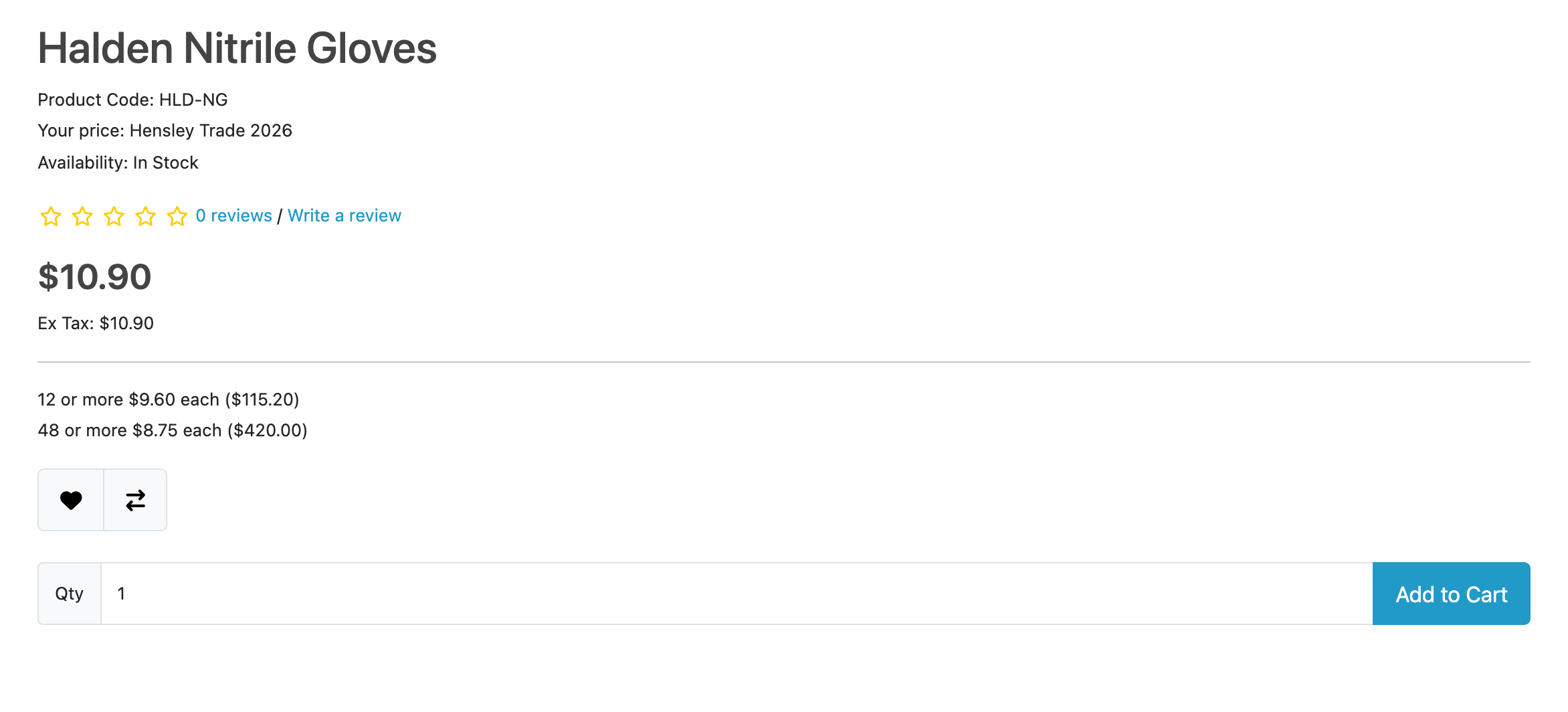
Rungs of 1, 12 and 48 on one list, with the price per unit and the line total at each break: the number a buyer reconciles against a purchase order. A group that buys by the case is prefilled with twelve on every add-to-cart button, and thirteen is refused at the checkout rather than shipped.
Price check tells you why
Type a customer, a product and a quantity. It names the list that set the price, every list that lost and the reason each one lost, and OpenCart’s own discounts sitting there not consulted.
A supplier’s file, a bulk set, an API, and nothing of yours touched
A three-column file goes into a new list you read before anybody buys on it; a percentage off a category is one sentence and a button; an ERP loads prices through a JSON API that ships switched off. Your own discounts and specials are neither changed by installing nor by uninstalling, and no table is ever dropped.
Translation published, not claimed
Which of our strings a named native speaker has actually read is published per extension and per language, and anything unreviewed ships as English rather than as a blank or a raw identifier.
Two things are worth knowing before you buy, and limits and guarantees is where they and the rest are written down in full. It holds no VAT number and decides no tax (no VIES lookup, no reverse charge), though collecting the number and exempting a group in stock OpenCart is written out in the guides. And a list row holds a price, not a percentage, in your store's own currency.
Questions people ask before buying
-
Can OpenCart give one customer their own price?
- Not in stock OpenCart, whose Discount tab prices a customer group and nothing narrower. B2B Pricing lets a price list be assigned to one named customer, and that arrangement beats the list of the group they are in every time, because naming somebody is a more specific statement than naming their group.
-
Why does it need OpenCart 4.1.0.1 or newer?
- Because OpenCart changed how it stores a price. Below 4.1 a special lives in a table of its own that the catalogue and the cart read differently, and on 4.1.0.0 the cart column an agreed price is kept in holds whole numbers only. Either way the product page would show your customer’s price and the cart would charge OpenCart’s, so it refuses to install there and says which version you need.
-
Does it work with OpenCart 4?
- Every Kyvero extension is built for OpenCart 4.x. Each one declares the lowest release it will install on and refuses to install below it, and its documentation lists the releases a full install-and-upgrade pass was run against.
-
Do I get the source code?
- Yes. An extension is PHP on your own server: readable, not obfuscated, and with no remote licence check to fail. Your copy is yours to modify and to keep backed up.
-
Who answers when something goes wrong?
- A developer, usually the one who wrote the extension. There are two official routes, the support portal and the support address, and both arrive in the same place.
Also for OpenCart
Merchants who run this usually want one of these
Import/export
Bulk imports for OpenCart that show you every change before they make it, and can be rolled back afterwards.
What it does OpenCart 4.xProfitability Copilot
Profit per order line and store-wide, recorded at the moment an order becomes real: product cost, payment fees, fulfilment, discounts and returns, against recurring operating expenses.
What it does