OpenCart product search
Find more of the right products
Every word a shopper types has to match something, brand and department names count as things to match against, the words your customers use are taught to mean the words your catalogue uses, and misspellings are forgiven without anybody being told. Then it writes down what was typed and what came back empty. What it does not do is reorder anything: it finds a better set of results, and within that set the order stays OpenCart's own, with your pinned products in front of it.
Every word has to match, across every field
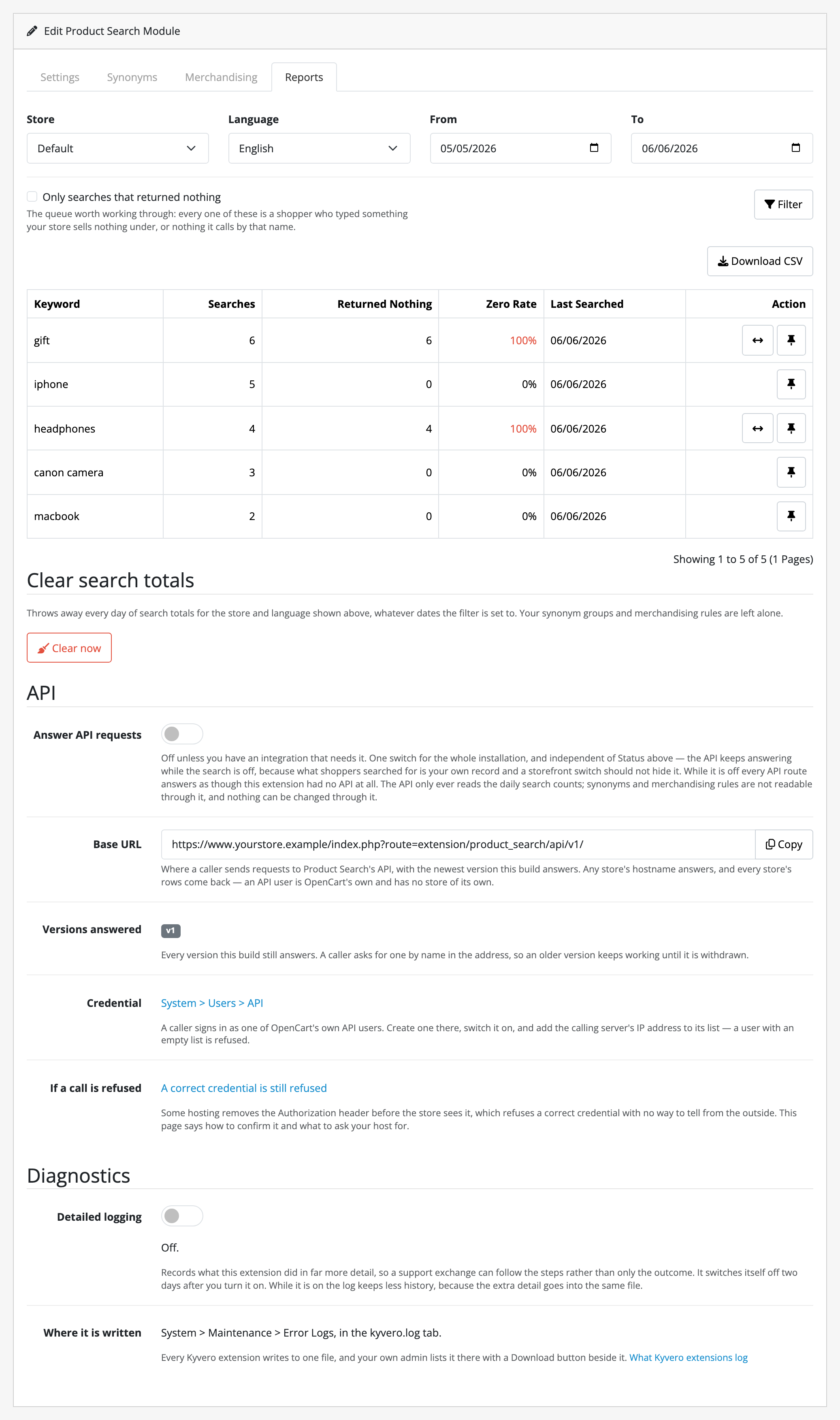
red wool jumper returns things that are red and wool and a jumper, matched across the product name, its tags, its manufacturer and the names of the categories it is filed under, so the brand can carry one word and the name another. On OpenCart 4.1.x that makes your results narrower rather than wider: core requires either word there, this requires both. Fewer results, more searches that find nothing, and the report below is where you meet the ones that did.
Brands and departments are things to search for
A shopper who types your manufacturer’s name, or the name of a department a product is filed under, gets the products. Stock OpenCart gives them an empty page. Parent categories are not walked: something filed only under Electronics › Laptops is not found by electronics, and a synonym group or a pin is the answer. Both say out loud what a parent match would have guessed.
The words your customers use, taught your catalogue’s
Synonym groups you author: jumper, sweater and pullover stand in for each other, whichever one the shopper knows, per language. Two to twenty terms a group, typed in through the screen. There is no bulk import, so an existing list arrives by hand.
Misspellings forgiven, against your catalogue
labtop finds laptops, corrected against the words your own shop uses rather than a dictionary of English, and never against a product code: XR2000 and XR2001 are one edit apart and are different products. It fires only when a search would otherwise find nothing, on words of four characters or more whose first two are right. The shopper is not told: the box still says what they typed, and the right things appear under it.
You choose what leads a search
A merchandising rule puts up to ten products in front of a given search, in the order you number them, whether or not they would have matched it at all. It matches the whole query rather than a word of it, and it stands down the moment a shopper picks their own sort order. Somebody who sorts by price gets what they asked for.
Translation published, not claimed
Which of our strings a named native speaker has actually read is published per extension and per language, and anything unreviewed ships as English rather than as a blank or a raw identifier.
Everything it refuses to do sits on one page. Limits and guarantees says that it does not rank results (there is no relevance weighting and nothing scores a product for matching in its name rather than in a category name), that it adds nothing to your storefront, so there is no autocomplete, no suggestions, no faceted filtering (that is Advanced Product Filters, a separate extension) and no did you mean, and no template of yours is touched, that on OpenCart 4.1.x your results get narrower rather than wider, that accents are not folded, so creme does not match crème, that the report is daily totals and nothing else (no per-search detail, no CSV export, and counters older than your retention window thrown away when somebody opens the screen), that settings are one set for the whole install, which multi-store storefronts share, and that uninstalling leaves your synonym groups, merchandising rules and counters where they are, on purpose. Worth reading before you buy.
Questions people ask before buying
-
Why does OpenCart search miss products that obviously match?
- Stock search does not look at your manufacturer names or the names of the categories a product is filed under, forgives no misspelling, and knows no synonym. Product Search matches across all of them.
-
Does it change the order my products come back in?
- No, and it is the line worth reading twice. It finds a better set of results; within that set the order stays OpenCart's own, with your pinned products in front of it.
-
Does it work with OpenCart 4?
- Every Kyvero extension is built for OpenCart 4.x. Each one declares the lowest release it will install on and refuses to install below it, and its documentation lists the releases a full install-and-upgrade pass was run against.
-
Do I get the source code?
- Yes. An extension is PHP on your own server: readable, not obfuscated, and with no remote licence check to fail. Your copy is yours to modify and to keep backed up.
-
Who answers when something goes wrong?
- A developer, usually the one who wrote the extension. There are two official routes, the support portal and the support address, and both arrive in the same place.
Also for OpenCart
Merchants who run this usually want one of these
Product Configurator
Conditional options on top of OpenCart’s own product options: rules that show, hide or require an option (or a single value of it) as a customer configures a product, instantly on the page and enforced again on the server.
What it does OpenCart 4.xWishlist
One wishlist per shopper, guests included, that survives the browser closing, with a share link, bulk add-to-cart, and price-drop and back-in-stock alerts for customers.
What it does